A gift from Mitzvah House
Reach more people. Inspire more good deeds.
Ner is the simple system we use to reach as many people as possible and connect them to more mitzvahs and good deeds. It worked for us, so we're giving it to you. Free, and fully yours.
For any organization or community that wants to bring more good into the world.
Version 2.0 · Updated November 8, 2026
Why we're sharing it
Ner means "lamp".
Every person we meet is a whole world, and every good deed counts. Keeping track of everyone, their families, their simchas, the last time we called, is a lot to hold in your head.
So at Mitzvah House, a Chabad center in Atlanta, we built a simple tool for ourselves. It helped us stay close to more people and see more mitzvahs done. We think it can do the same for you.
It's our gift: your own copy, in your own accounts, to use and change however you like.
With love, Mitzvah House
What it does
Everything you need, nothing you don't
Ner keeps it simple on purpose. Big buttons, plain words, and it works on your phone. Here is everything in version 2.0.
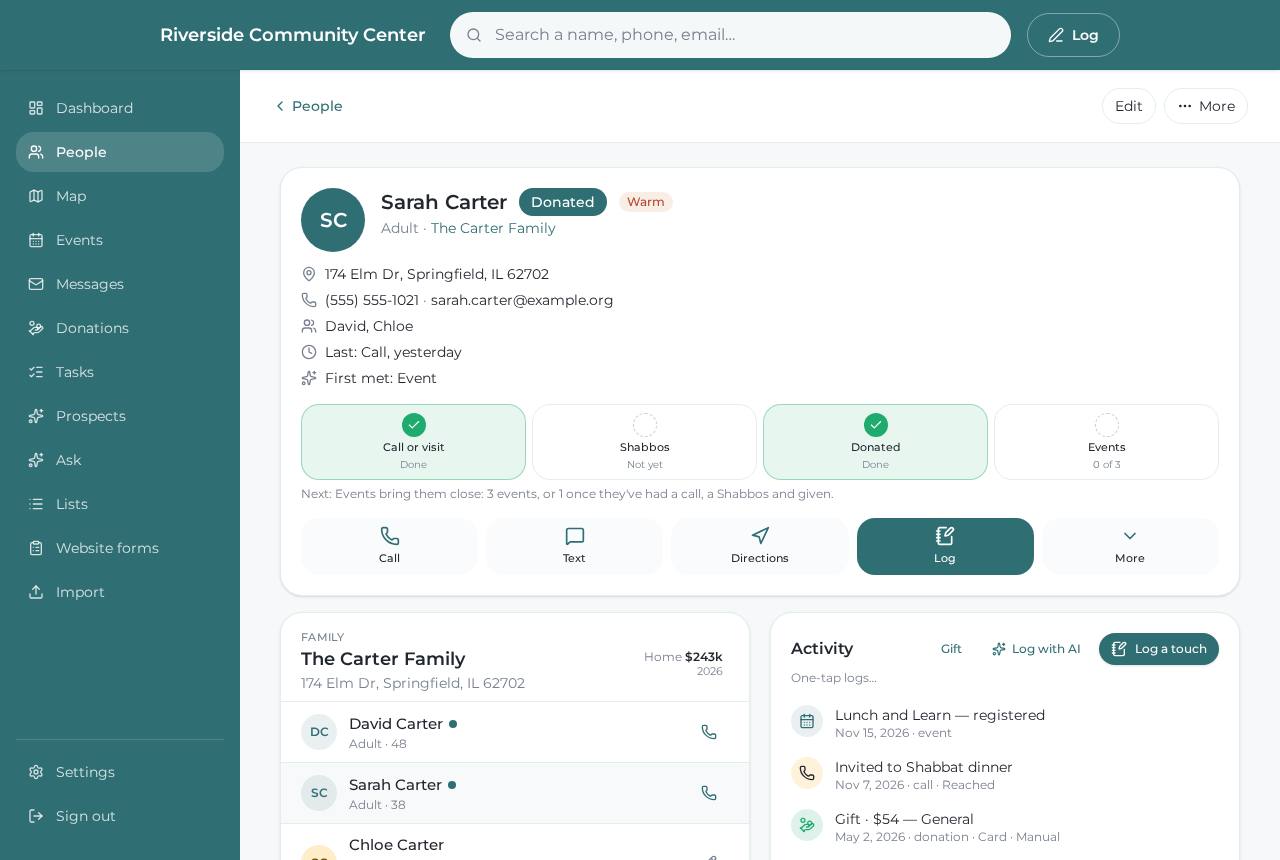
People and families
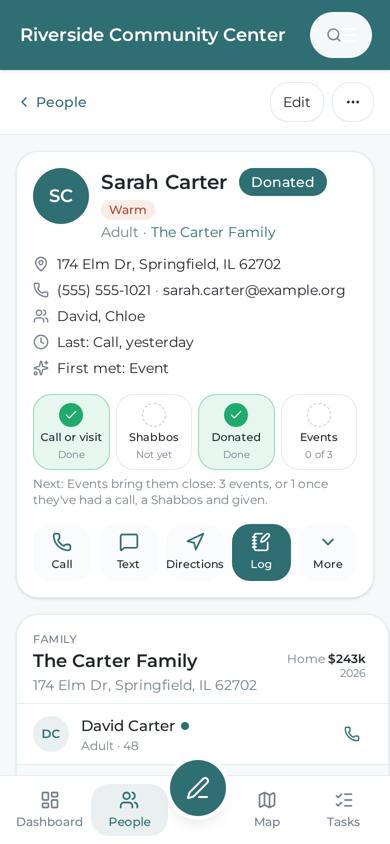
Everyone in one calm place: households, kids, birthdays, Hebrew dates and yahrzeits, notes, and the last time you were in touch. Find duplicates and merge them.
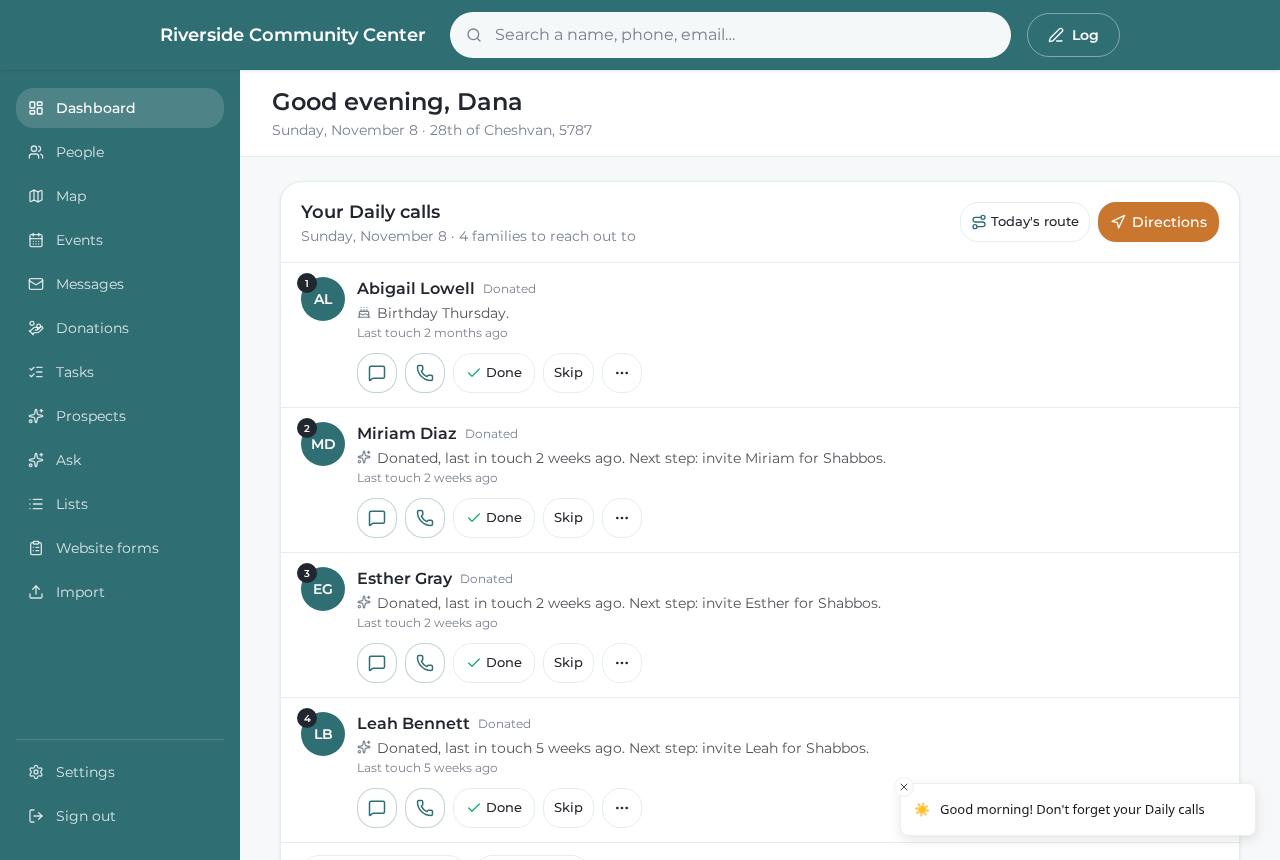
Daily calls
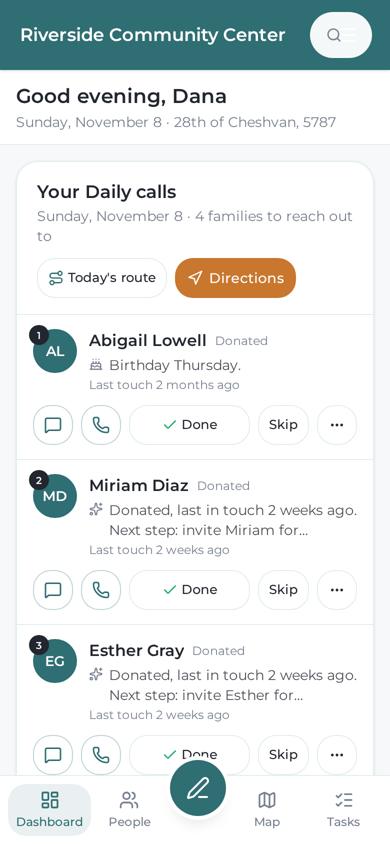
Each day it picks a few people to reach out to, so nobody quietly falls through the cracks. Call, text or visit, then one tap for Done. Year-end check-ins can go to one person.
Giving and receipts
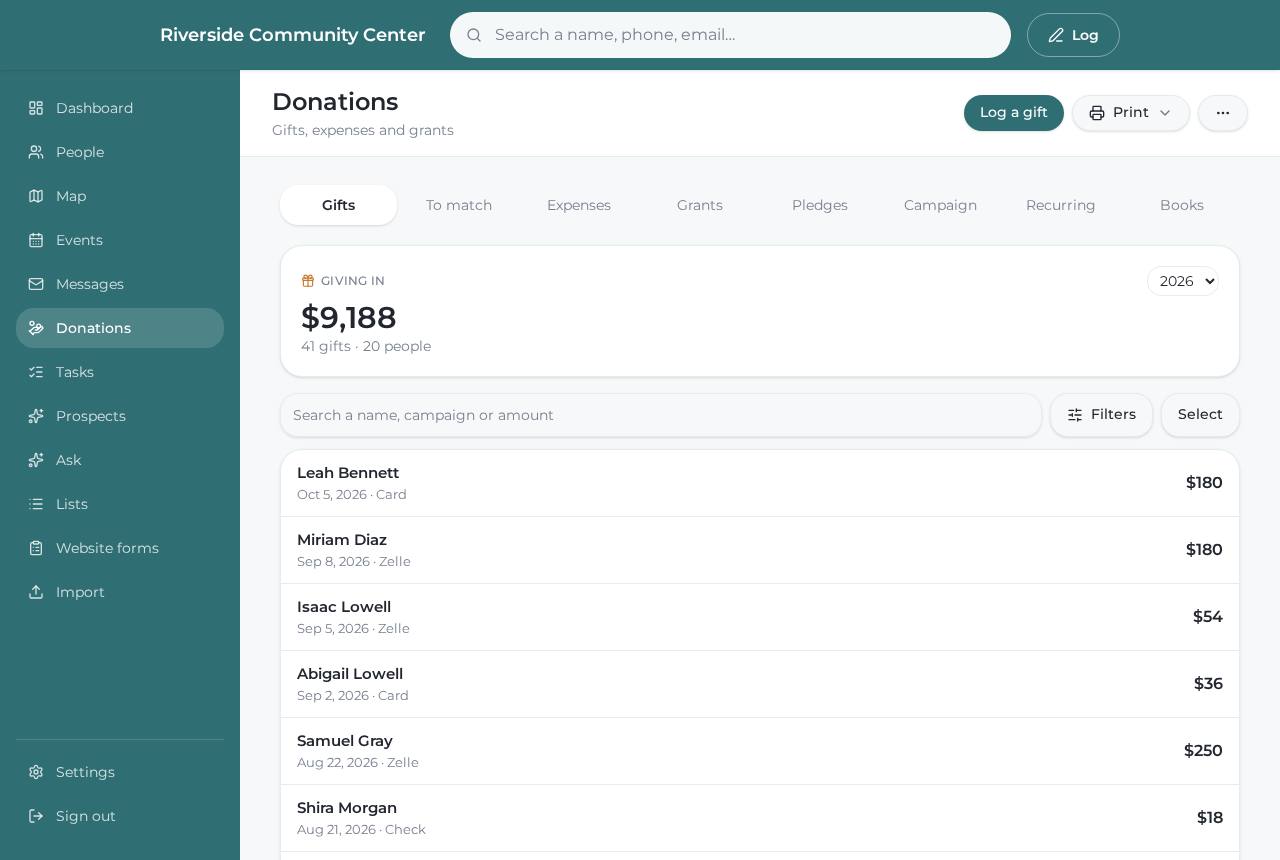
Gifts, pledges and recurring gifts. Thank-you letters and tax receipts as PDFs, year-end statements, and gift notes that show who gave and when.
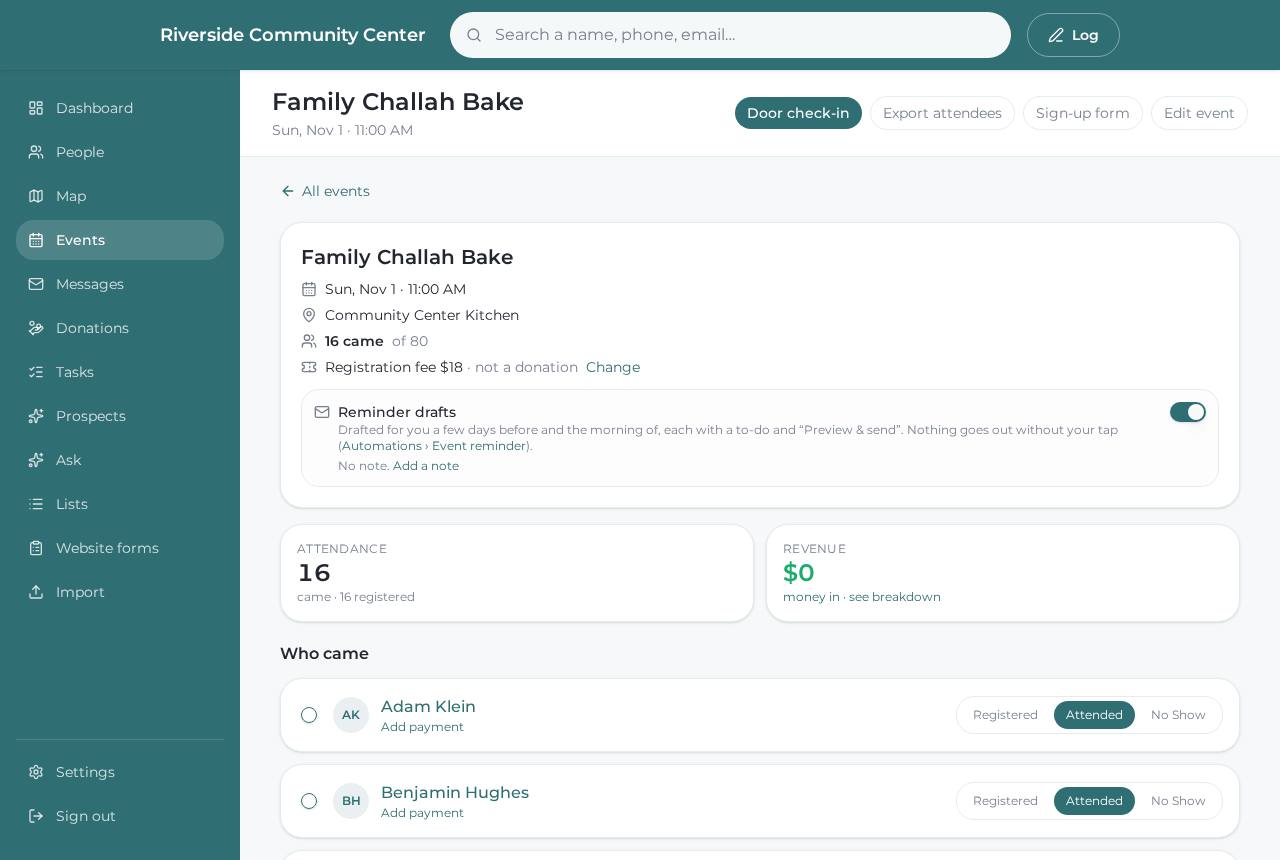
Events and sign-ups
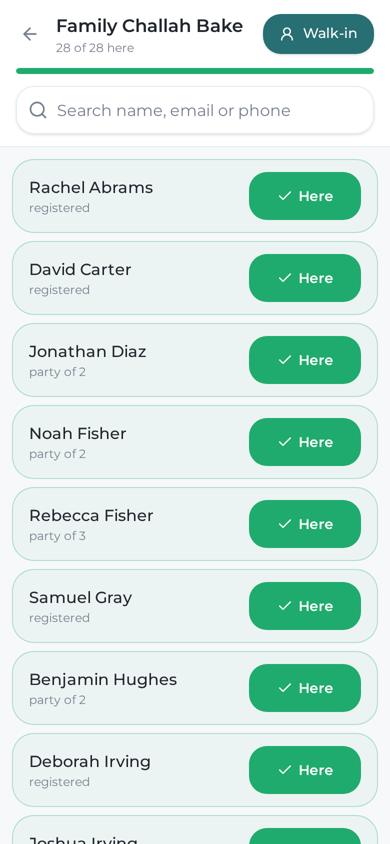
Sign-up forms for your website (children too), reminders, check-in at the door on a phone, and a short thank-you survey after.
Email and texts
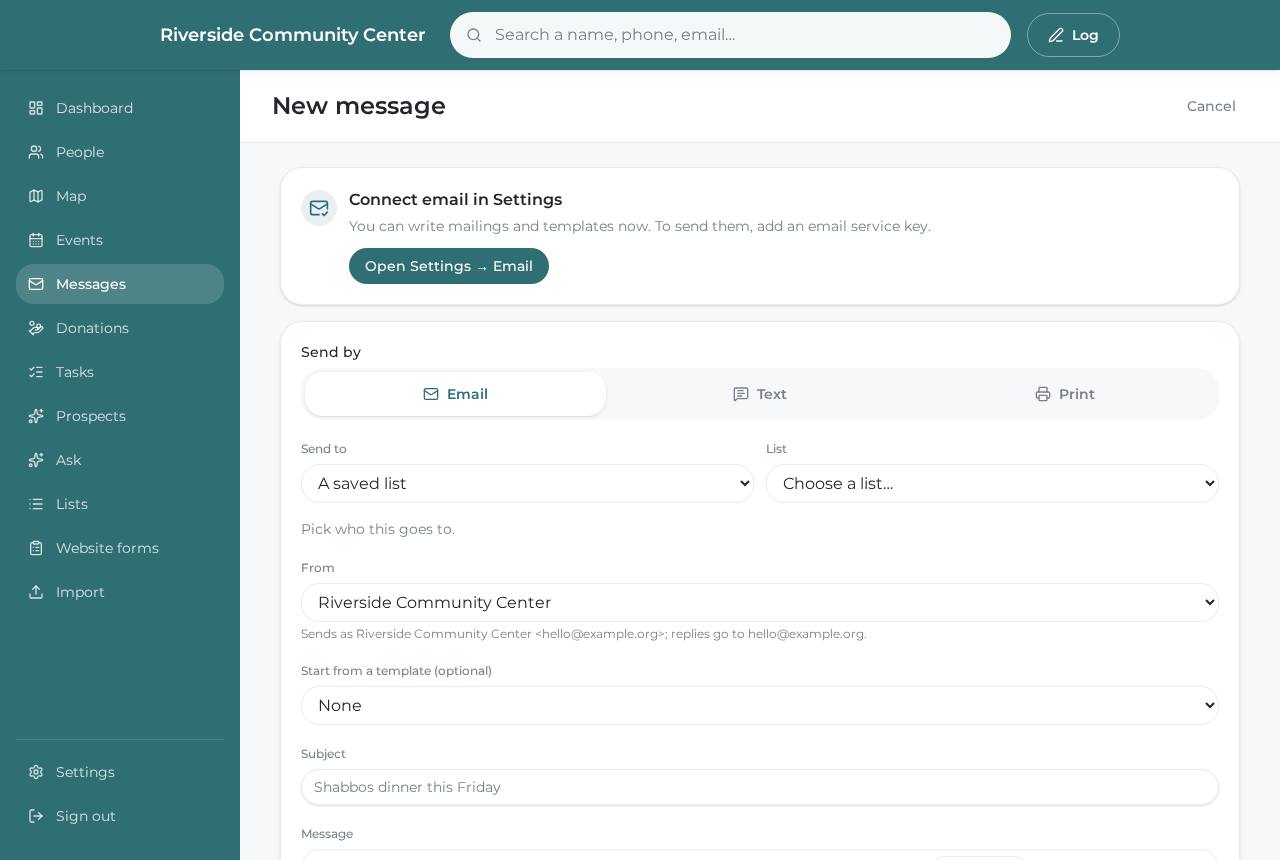
Newsletters with a simple editor and templates, open and click reports, and personal texts you write once and send with one tap. Send as your organization or as yourself.
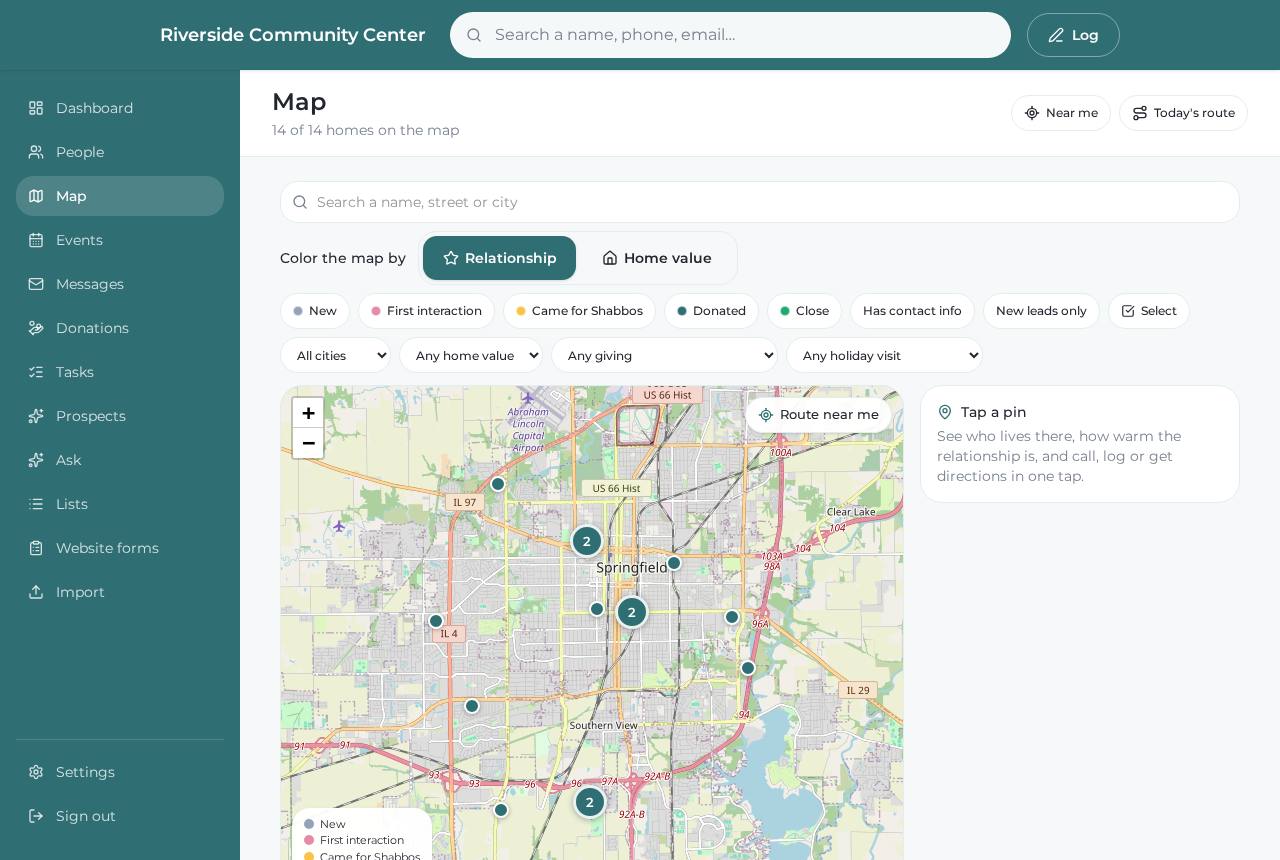
Map and routes
Everyone on a map. Plan a short route for holiday deliveries or visits, and see who lives near whom.
Expenses
Track spending by category with the receipt attached, and see each event's costs beside who came and what came in.
Gentle automations
Welcome emails for new people, thank-yous after a gift, birthday notes and event reminders. Every one is off until you turn it on.
Ask in plain words
Ask questions like “who came to an event this year but hasn't given?” and get a list. Uses your own free AI key.
Your team, on any phone
Logins for each person with the right access, forgot-password built in, and it works like an app on a phone.
See it
What it looks like
Real screens from a test copy of version 2.0. The people in them are made up.
How it works
Three steps, and it's yours
Request a copy
Fill in the short form below. It takes two minutes, and works on a phone.
We set you up
We read every request, set up your access by hand, and email you when it's ready.
Make it yours
Follow our simple guide. About 30 minutes on a computer, no tech skills needed. Then it's yours forever.
Request a copy
Ask for your copy
Tell us a little about you and your work. We'll set you up and email you the next steps.
Thank you.
We got it. We'll set up your access and email you the next steps soon.
Want a hand?
Get Tab, a helper you text
Tab is a digital assistant that works for you over text. It can walk you through setting up Ner, and help with flyers, emails and the rest of your to-do list.
Get TabQuestions
Good to know
Is it really free?
Yes. Ner is a gift. There's no price, no subscription and no license key. It runs on the free plans of three services (GitHub, Vercel and Supabase), so for most organizations it costs nothing to run.
Where does my data live?
In your own accounts, never ours. Your copy runs on your own GitHub, Vercel and Supabase accounts. Mitzvah House can't see your people, your donations or anything else you put in.
Do I need to be technical?
No. The guide is written in plain language, one small step at a time, with a picture for each step. Most people finish in about 30 minutes. If you get stuck, the guide has a section for the usual hiccups.
Will it get updates?
No updates are pushed to your copy. It's yours, exactly as you received it, and nothing changes unless you change it. New versions (like 2.0, November 2026) show up here, and a new request gets the newest one. If you want something different, you (or your own Tab, or a developer you trust) can change it however you like.
Why do I need to request it?
We set up each new copy by hand, so we can make sure it goes smoothly. Fill in the short form and we'll email you the guide as soon as your access is ready.
Why do you ask for a GitHub username?
GitHub is where your copy of the code lives. We use your username to give you access to it. If you don't have one yet, make a free account at github.com/signup. It takes a minute.
Who can request it?
Any organization, community or person who wants to reach more people and help them do more good.
Is there support?
Ner is shared as it is. The guide is the support, and it covers the common questions. We're a small community organization, not a software company, so we can't promise more than that. We'd love to hear how it goes.
Can I bring my existing contacts?
Yes. You can add people one by one, or bring them in from a spreadsheet.
Support us
If Ner helps you
Ner is free and always will be. If you'd like to give back, here's how.
Partner with us
Want to help us share Ner with more organizations, or work on it together? We'd love to talk.
Email us